YuanRong System Requirements
Minimum Windows specs, EA performance habits, and what remains unverified.
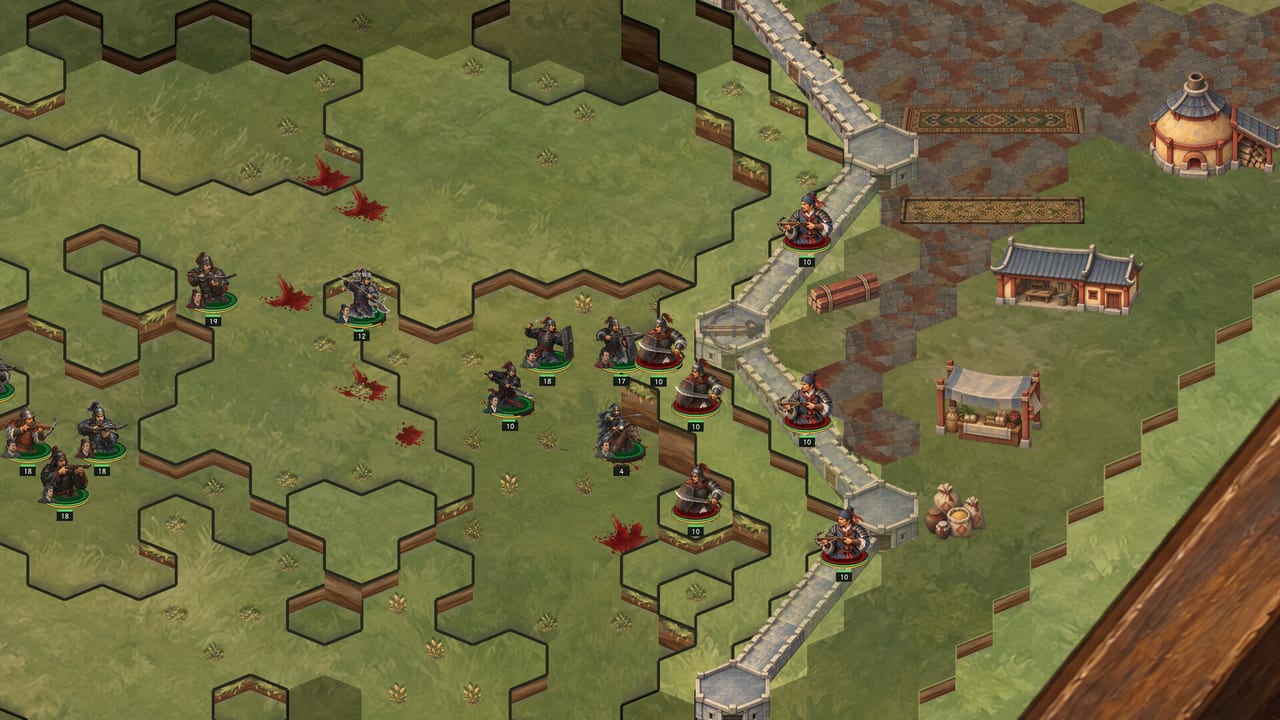
YuanRong (Yuanrong: Princeps Militum) is a single-player 2D turn-based tactical RPG built for Windows PCs on Steam (app 4801600). Solo developer FY Developer and publisher FY Publisher launched Early Access on November 23, 2026 with a free demo, a $19.99 list price, and an introductory $16.99 window. Before you plan Central Plains shield walls or Steppe horse routes, confirm that your machine clears the published minimums and that you understand how late-game world simulation can stress older CPUs even when the art style looks modest.
This page consolidates storefront requirements, Early Access performance notes drawn from public update work, and honest gaps—especially Steam Deck. For input habits once the game runs, continue to Controls. For the wider reference set, return to the Tools Hub.
Official minimum requirements
Requires a 64-bit processor and operating system.
| Component | Minimum |
|---|---|
| OS | Windows 10 (64-bit) |
| Processor | Intel Core i5-4460 or AMD FX-8350 |
| Memory | 4 GB RAM |
| Graphics | NVIDIA GeForce GTX 750 Ti or AMD Radeon R7 260X |
| DirectX | Version 11 |
| Storage | 8 GB available space |
| Sound | DirectX-compatible sound card |
| Notes | Keyboard and mouse recommended |
These numbers define the supported floor, not a guarantee of buttery late-game 4x map speed with every lord, patrol, and market simulated. If your CPU matches the FX-8350 era and you also run a browser with dozens of tabs plus Discord overlay, expect to close background tasks during dense strategic hours.
Recommended specs
The storefront’s recommended block historically emphasized the same 64-bit OS requirement without publishing a dramatically higher GPU ladder in the same detail as the minimum list. Practically, treat “recommended” as:
- A CPU newer and stronger than the i5-4460 / FX-8350 dual examples
- More than 4 GB RAM if you keep overlays, recording, or large browser sessions alive
- A GPU comfortably above GTX 750 Ti / R7 260X for multi-monitor or high-DPI setups
- SSD storage so city entry and panel opens feel as snappy as the Ready the Ranks UI work intends
If you are buying hardware only for YuanRong, you do not need a modern ray-tracing flagship. You do want single-thread responsiveness and enough RAM headroom for Windows itself.
What the game is doing under the hood
YuanRong mixes:
- Seed-generated continents with strategic movement, fog, and army pathing
- Settlement economies, markets, construction, and diplomacy
- Hex battles with elevation, formations, and detailed skill previews
- Lord AI that declares war, sieges, and rebuilds forces
Even with 2D presentation, the CPU cares about how many actors wake each in-game hour. Update notes have already staggered Lords’ daily governance across multiple clock times, split monthly diplomacy settlement, capped due army rebuilds per in-game hour, and reduced decision frequency for far-away safe armies—explicitly to cut late-game top-of-the-hour stutter. If you feel hitching, you are not imagining load; the developer has been chasing it.
World Map 4x marching and click-to-pause responsiveness also received polish. Faster map speed is a convenience feature, not a stress test you must run permanently on minimum hardware.
Early Access performance habits
- Install on an SSD if you can. City entry now opens the town home screen first and loads Recruitment / Tavern on demand—storage latency still matters when panels pop.
- Leave 8 GB free, then more. Patches, screenshots, and Cloud-adjacent local files accumulate. The minimum storage figure is not a dare.
- Disable heavy overlays while diagnosing hitching. GPU-level overlays can interact poorly with older DX11 paths.
- Use moderate map speeds during crowded diplomatic months; spike to 4x when the region is quiet.
- Keep saves healthy. Multiple notes fixed save/load failures around culture flips, peace cessions, and lodging recuperation. Still make manual backups before huge wars.
- Close unused browser sessions on 4 GB RAM machines. The game’s 4 GB minimum assumes Windows has breathing room.
If battles themselves stutter while the map is fine, lower competing background load first; hex combat is heavier on UI tooltips and skill preview media than on AAA geometry.
Demo versus Early Access install
The free demo (separate Steam entry) is the right proving ground for minimum PCs. Install the demo, generate a continent, enter a town, open Formation and Doctrine panels, fight one contract, then march at 4x. If that loop feels acceptable, the full Early Access client should be in the same performance band, acknowledging that EA adds systems—courts, mercenary companies, folklore packs, more events—that raise late-game simulation cost over a short demo session.
Steam Deck and handhelds
Steam Deck compatibility was not marketed as a primary, verified target for the Early Access launch messaging around YuanRong. Official requirements list Windows 10 desktop components and recommend keyboard and mouse. Until Valve’s Deck verification badge or the developer explicitly documents Proton/Deck support, treat handheld play as unknown / community-experimental.
If you experiment anyway:
- Expect to supply your own control scheme; the UI assumes pointer precision for 1.5-second tooltip pins.
- Verify controls habits on Controls before judging the game unfair.
- Do not assume Steam Cloud plus Deck sleep resume covers every recuperation edge case—test saves.
This wiki will update when official Deck guidance appears on the Updates Hub.
Platform and feature checklist
- Platforms: Windows via Steam
- Players: Single-player only (no multiplayer)
- Features called out on Steam: Achievements, Cloud, Family Sharing, play-at-your-own-pace style tagging
- Input: Keyboard and mouse recommended
- Network: Not a live-service combat game; still needs Steam for install, updates, and overlay announcements
Troubleshooting quick hits
| Symptom | Try |
|---|---|
| Long city loads | SSD install; wait for home screen before spamming Recruitment |
| Map hitch at hour marks | Lower speed; close overlays; update to latest patch |
| Save failure after politics | Update; avoid power loss mid-save; keep backups |
| Tooltip / UI lag in combat | Pin fewer panels; ensure GPU meets DX11 minimum |
| Low RAM warnings | Close browsers; 4 GB is the floor |
After your PC is ready
Once requirements are cleared, learn pointer habits on Controls, then jump into Getting Started and culture planning on Cultures Overview. Hardware gets you into the seed. Doctrine and leadership keep you there.
YuanRong’s art direction is oil-painted and readable, but the simulation underneath is a small wargame. Give it the CPU respect of a strategy title, not the shrug of a lightweight casual 2D game, and the Early Access months will feel much smoother.
Frequently Asked Questions
Quick answers about YuanRong Early Access, cultures, and combat.
What is the minimum CPU for YuanRong?
Intel Core i5-4460 or AMD FX-8350 on a 64-bit Windows 10 system, per the Steam minimum requirements.
How much disk space do I need?
At least 8 GB free. Leave extra room for patches and local files rather than installing to a nearly full drive.
Is Steam Deck officially supported?
Not as a primary verified target in Early Access launch messaging. Assume Windows desktop first; treat Deck as unverified until official notes say otherwise.
Why does the late game hitch on older PCs?
Strategic simulation wakes many lords and systems hourly. Updates already stagger AI work; still lower map speed and overlays on minimum hardware.
Should I try the demo first?
Yes. The free demo is the best way to validate performance on borderline PCs before buying Early Access.